Three ways to set your background — search the gallery, create one with AI, or upload your own.
Search the library
Search hundreds of ready-made backgrounds
Not sure exactly what you want? Open the Backgrounds gallery and use the search bar to instantly pull from a library of over a thousand ready-to-use wallpapers — no uploading or AI required. Just type a place, scene, color, or mood.
- Places — e.g. santorini, iceland
- Scenes — e.g. forest, beach, city
- Colors — e.g. blue, green, teal
- Moods — e.g. calm, minimal, dramatic
Backgrounds Search bar type a place, scene, color, or mood
Create one with AI
Create Your Own with AI
Generate beautiful, unique 4K backgrounds tailored to your style — already perfectly formatted for your homepage.
- First 6 creations are free
- Just describe what you want
- High-quality 4K resolution
- Browse community favorites
Backgrounds AI Backgrounds Create New or Community Favorites
Upload your own
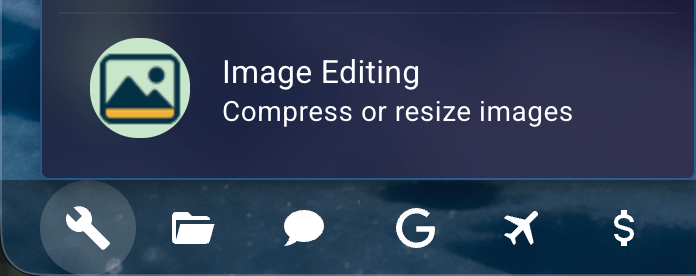
Need to compress or resize?
Use the built-in Image Compressor tool right on your homepage!
- Compress images up to 80%
- Resize to any dimension
- No external sites needed
Homepage Footer Tools Image Editing
Tips for great backgrounds
- Darker images tend to look best
- Not too busy or cluttered
- 16:9 aspect ratio (recommended)
- 1920x1080 minimum resolution
Finding Images Online
Prefer to find your own? You can upload any image or search online. Resources like Google Advanced Image Search or WallpapersWide.com have many options.
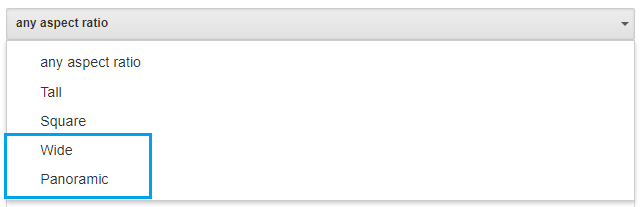
Wide or Panoramic images can be found in Google Advanced Image Search
That's it! Enjoy your backgrounds.