Time to Switch from Yahoo: Embracing Homepage Alternatives
My 3-month experiment, explained and tested
8 min read · Updated May 6, 2026
My 3-month experiment, explained and tested
8 min read · Updated May 6, 2026
I ran each of these as my actual homepage for three months. If you only want the recommendation, it's here — the rest of this page is the evidence behind it.
Ad-free, fastest of the three, and the only one with a news page you control. Free.
Runner-upThe most widget-heavy option, and the strongest if you want bookmarks shared across a team.
Closest to a portalA big directory of sites in one grid. The nearest thing to the old-school Yahoo layout.

|

|
 Best Homepage Ever
|
|
|---|---|---|---|
| News | An algorithmic feed built into the homepage | Comparable, with heavier tabloid headlines | A separate ad-free news page, plus a Daily Brief covering only topics you pick |
| Ads | 30%+ of the page | Heavy, including video | None |
| Interruptions | Video ads that flash and sometimes play audio | Autoplaying media | No pop-ups, no autoplay, nothing that moves unless you ask |
| Speed | 1.63s load, 3.2 MB page | Slow, ad-heavy | 100/100 Lighthouse in my testing |
| Make it yours | Barely customizable | Barely customizable | 1,200+ backgrounds, themes, animated and living backgrounds, your own widgets |
Yahoo figures are from my own page-speed and ad-coverage testing, detailed further down.
I spent 3 months testing, so you don't have to
I just spent 3 months looking around, testing, and using some of the best and most popular alternatives to Yahoo as my homepage.
Below, I'll give you a few reasons why I decided to switch to begin with, and provide ones you and your browser will love.
It's no secret that Yahoo, Google, and MSN have been popular choices for many people over the years.
However, I found myself getting increasingly frustrated with the amount of ads, and the lack of customization options. Just check out the ad coverage on the main page of Yahoo.
Have you loaded up Yahoo recently? Their recent switch now showcases an advertisement as ~ 30%+ of the page!
Take a look here at the USAA ad. Woof! It's just too much.
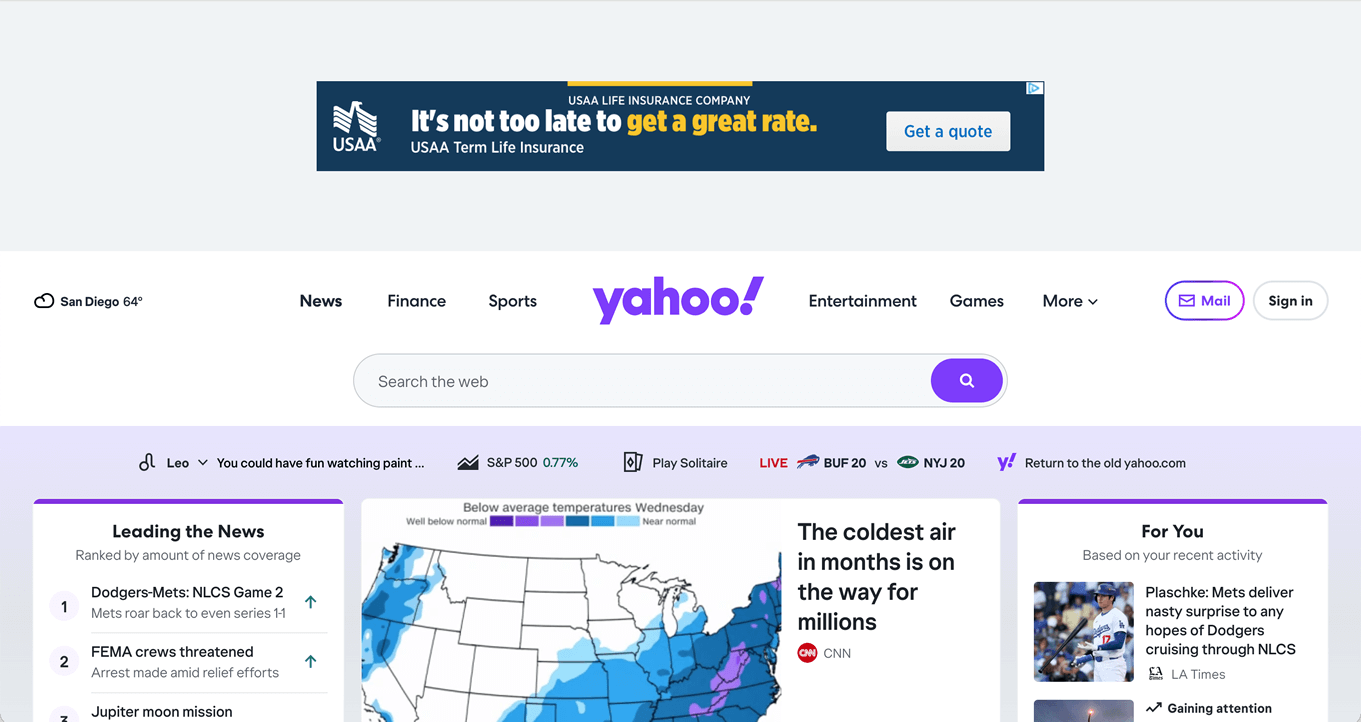
Top of Yahoo now is one enormous non-collapsible ad
Or, once you actually get into the bulk of the content - the section that caters to your news. Look at the frequency in which they display ads within the given content. Between the news and right column, it's about 33% of the content.
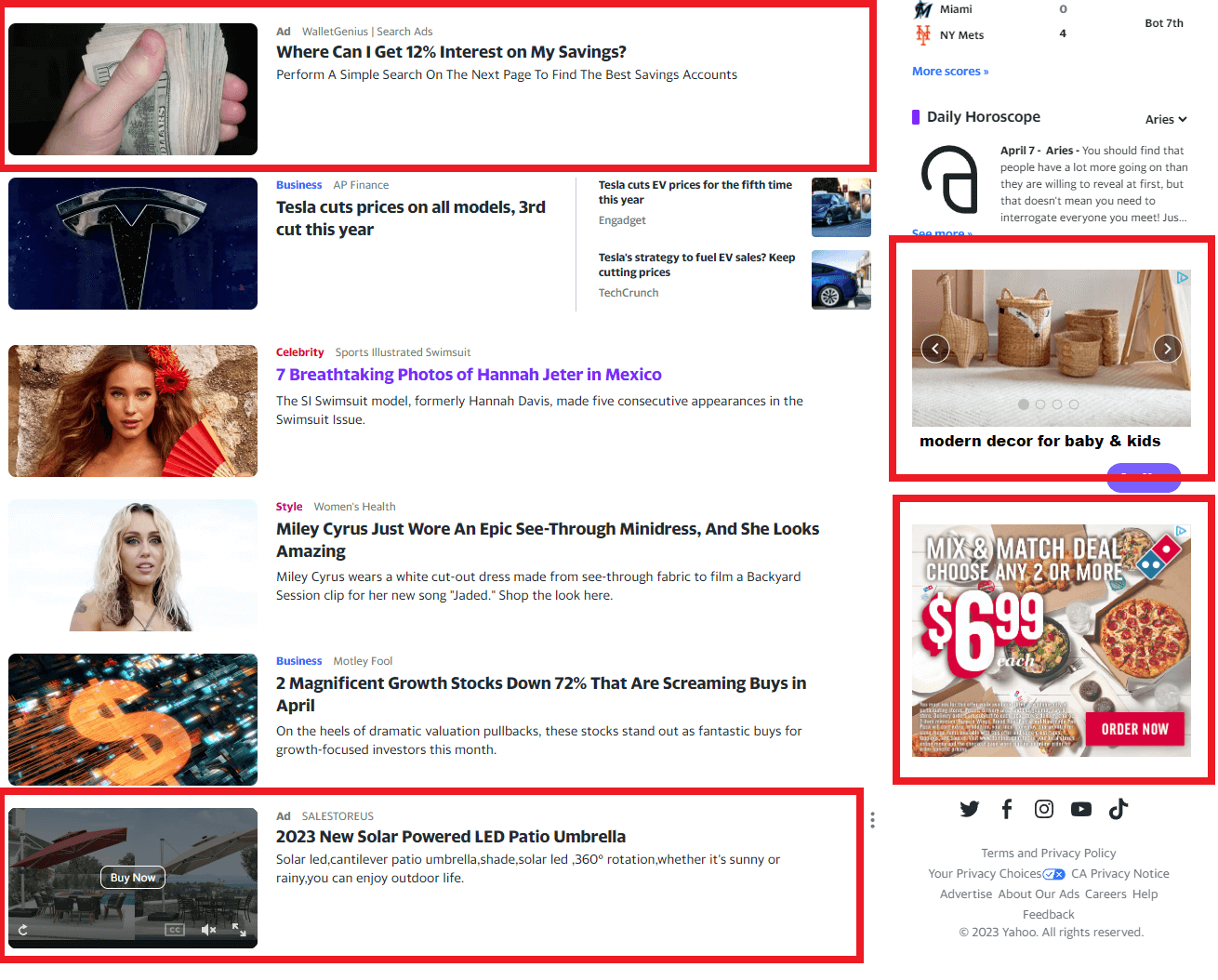
Ads in my feed and content area
Don't you want a homepage that caters to the sites you want to visit? After using Yahoo for several years, I realized that — well executed on their end — they do a great job of keeping you inside their ecosystem. If I want the weather, or sports, or news, I'd rather reach the sites I actually use. You can't even set Google as the search box, because they're competitors.
The look is the other half of it. Scattered with ads on top, in the right column, at the bottom, and inside the news feed, the page is cluttered for my taste — and the video ads flash, pop bright colors, and sometimes play audio at you. I'd rather begin my browsing with a picture of a lake or some trees. But, hey, that could just be me.
That one preference — wanting to open a tab and see something worth looking at — is more or less what my own homepage got built around. It's also why I spent an unreasonable share of 2026 on backgrounds that move.
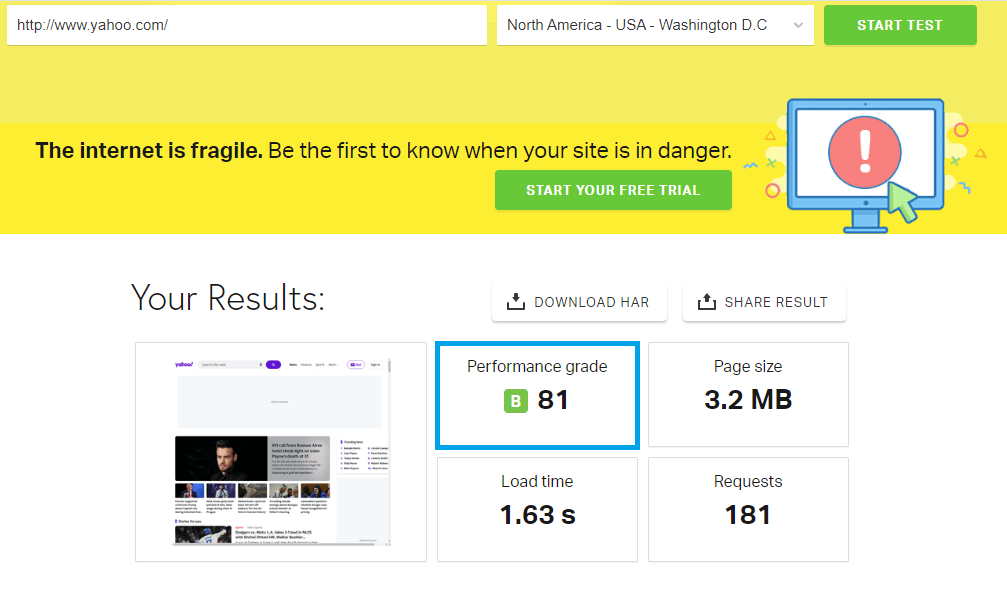
Yahoo's homepage speed, view here.
In all fairness, considering all of the images on Yahoo's site, an 81% out of 100 isn't too bad. But, with a page load time of 1.63 seconds, and a page size of 3.2mb, it's not what I would consider a fast homepage to open up each time you open your browser.
Same problems, slightly different flavor.
MSN is the other big legacy portal homepage, and the issues track closely with Yahoo's: heavy ad density, an algorithmic news feed designed to keep you scrolling, and a layout that rewards engagement over clarity.
Two things stood out as a bit different on MSN compared to Yahoo:
If you're using MSN today, the same alternatives below apply. Same logic, same payoff.
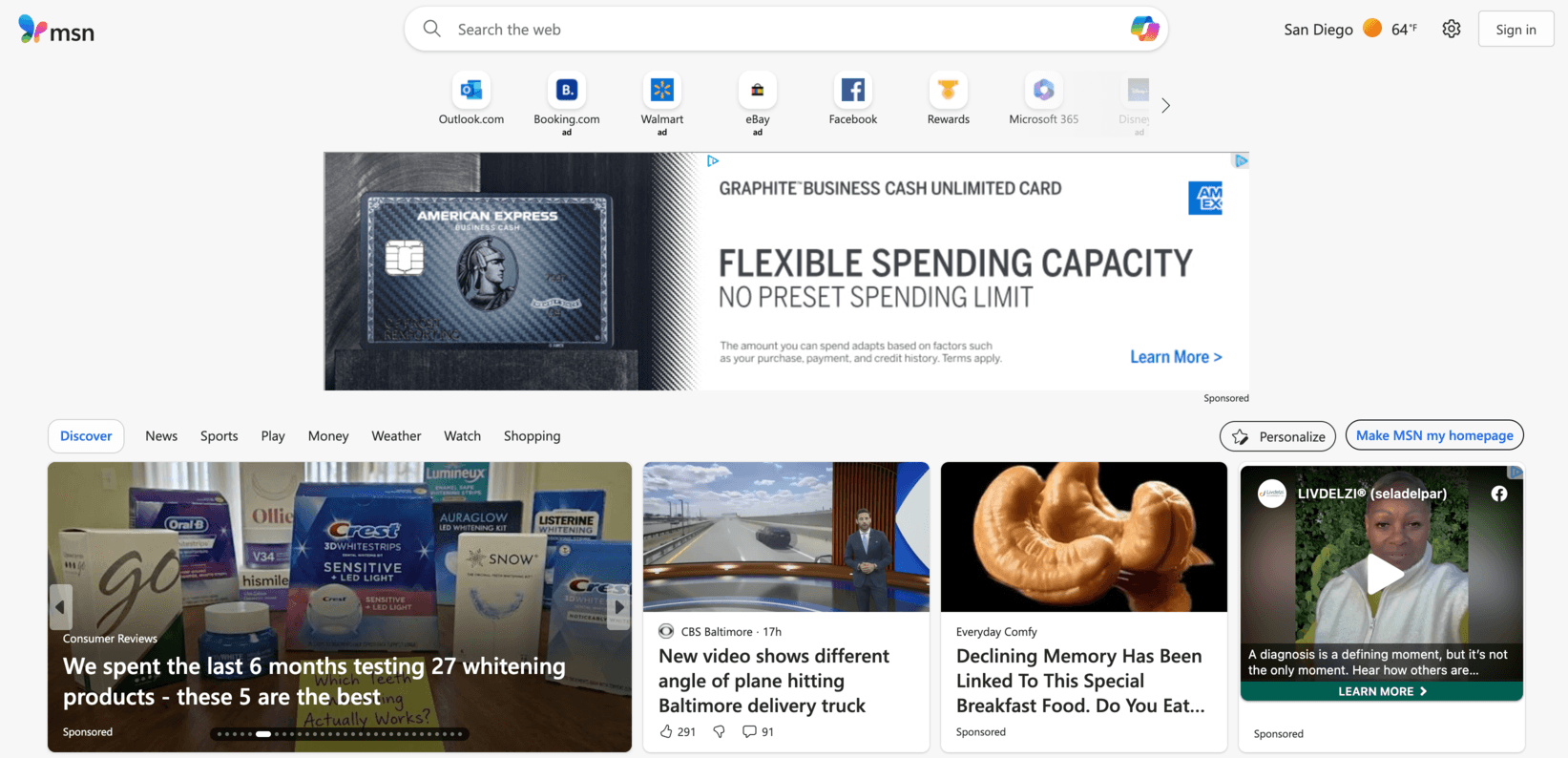
MSN's homepage as of 2026
Yahoo and MSN are news portals first, homepages second. Best Homepage Ever splits those two jobs apart — and then gives you two ways to read, both of which you control.
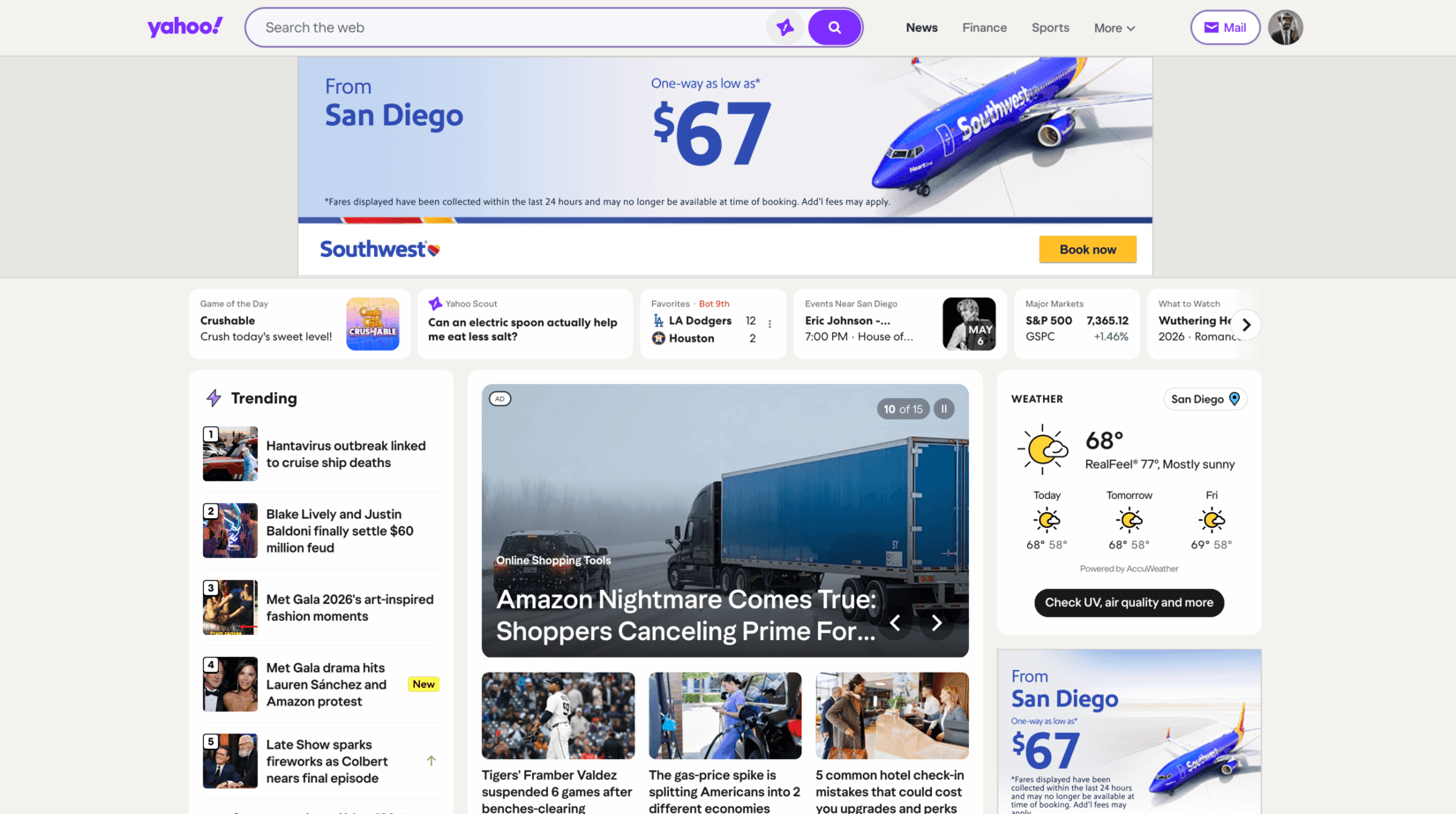
Yahoo: ads, sponsored stories, clickbait

Best Homepage Ever: outlets you picked, nothing injected
The difference is who chooses. Yahoo's news area is dense with ads, sponsored posts, and whatever an algorithm decided would get the click. The news page on the right is a list of outlets I picked myself — NPR, the BBC, Fox, the Times, whoever I actually trust — with nothing injected between them.
It also doesn't give you the "scroll forever" experience Yahoo and MSN do, and after a few weeks I realized that was the whole point. I read more deliberately, from sources I trust, instead of skimming headlines someone else ranked for me.
This is the part I'd point a Yahoo or MSN user at first. Both of those sites decide what you see. The Daily Brief flips that completely: you tick the topics you care about — your team, your city, your stocks, the companies you follow — and twice a day it writes you a short, cited summary of just those things. Nine popular topics are free, Pro lets you pick any fifteen from hundreds, and there is no feed to fall into: you read it, and you're done.
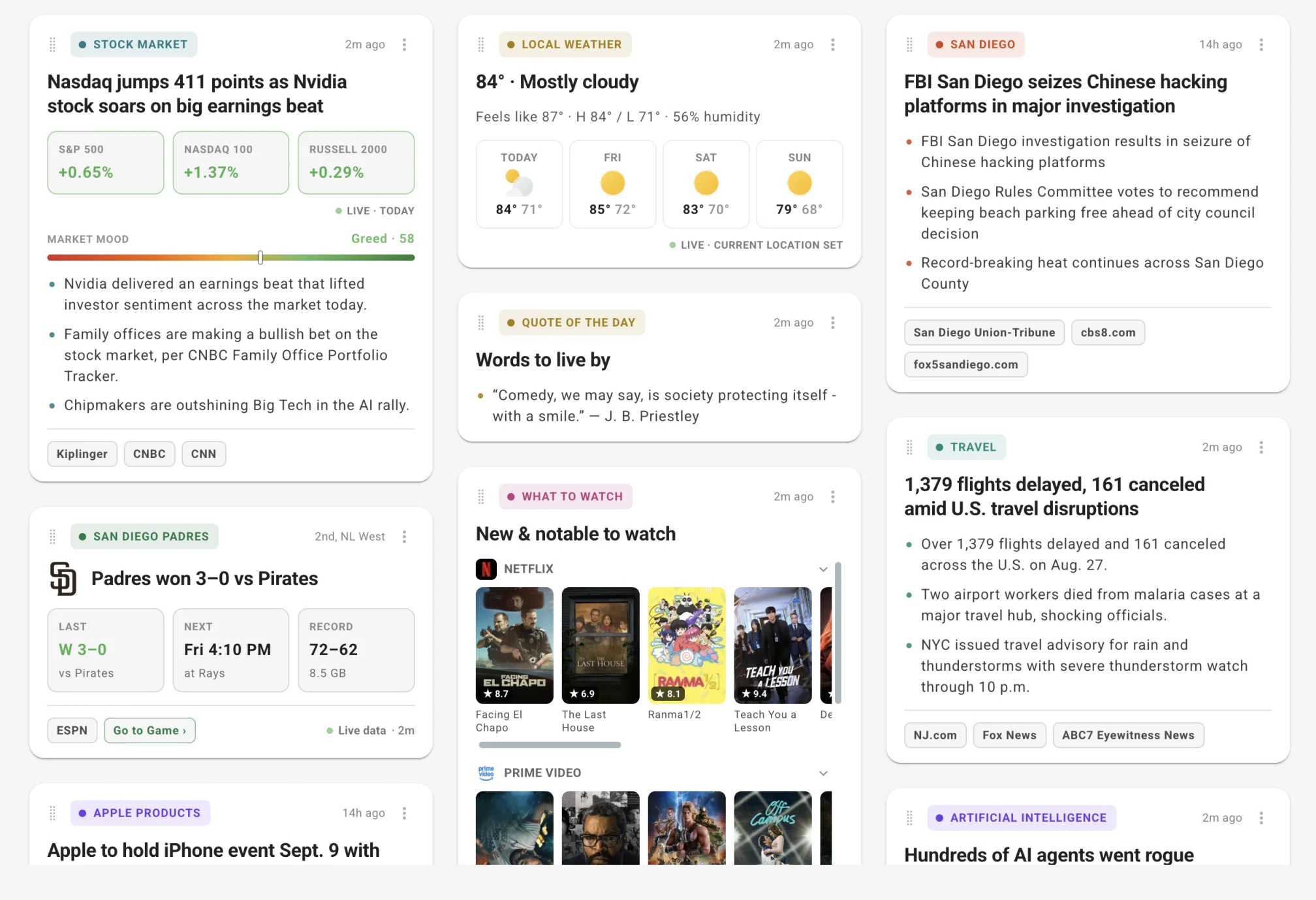
One edition of the Daily Brief — only the topics I picked, every card sourced
That's the whole difference in one screen. Yahoo's algorithm picks for millions of people and hopes you click. The brief only ever covers what you asked for, cites where each line came from, and then stops.
Sites like Yahoo and MSN — without the ads, the clutter, or the algorithm picking for you.
Summary
Ad-free, A+ (99%) Lighthouse score, beautiful and customizable backgrounds. Travel, News, and Finance sections are excellent. Additional tools super useful.
Free
The layout of Best Homepage Ever is well thought out.
Any websites you want, whether custom or popular ones, can be added in just a couple of clicks. I opted to add my favorite sports team, bank, news, weather, and popular business sites to the homepage.
I thought that was super slick and convenient for browsing.
A clock and To-Do (post-it) notes appear by default, but can easily be hidden, along with an assortment of other tools. The bottom navigation also offers quick links to popular destinations online.
The site offers over 1,200 ultra high definition backgrounds to choose from, and gives you the option to create your own, via generative AI.
You can create your own A.I. generated backgrounds, or upload your own pictures, which gives you a more personal effect.
Perhaps what I liked the most about this homepage is the absence of ads. You can say goodbye to popups, video ads, surveys, text ads, and other distractions.
Also, it's worth noting the speed of the site is exceptional, and earned the highest Lighthouse score (100%) in the tests I ran against all the other sites.
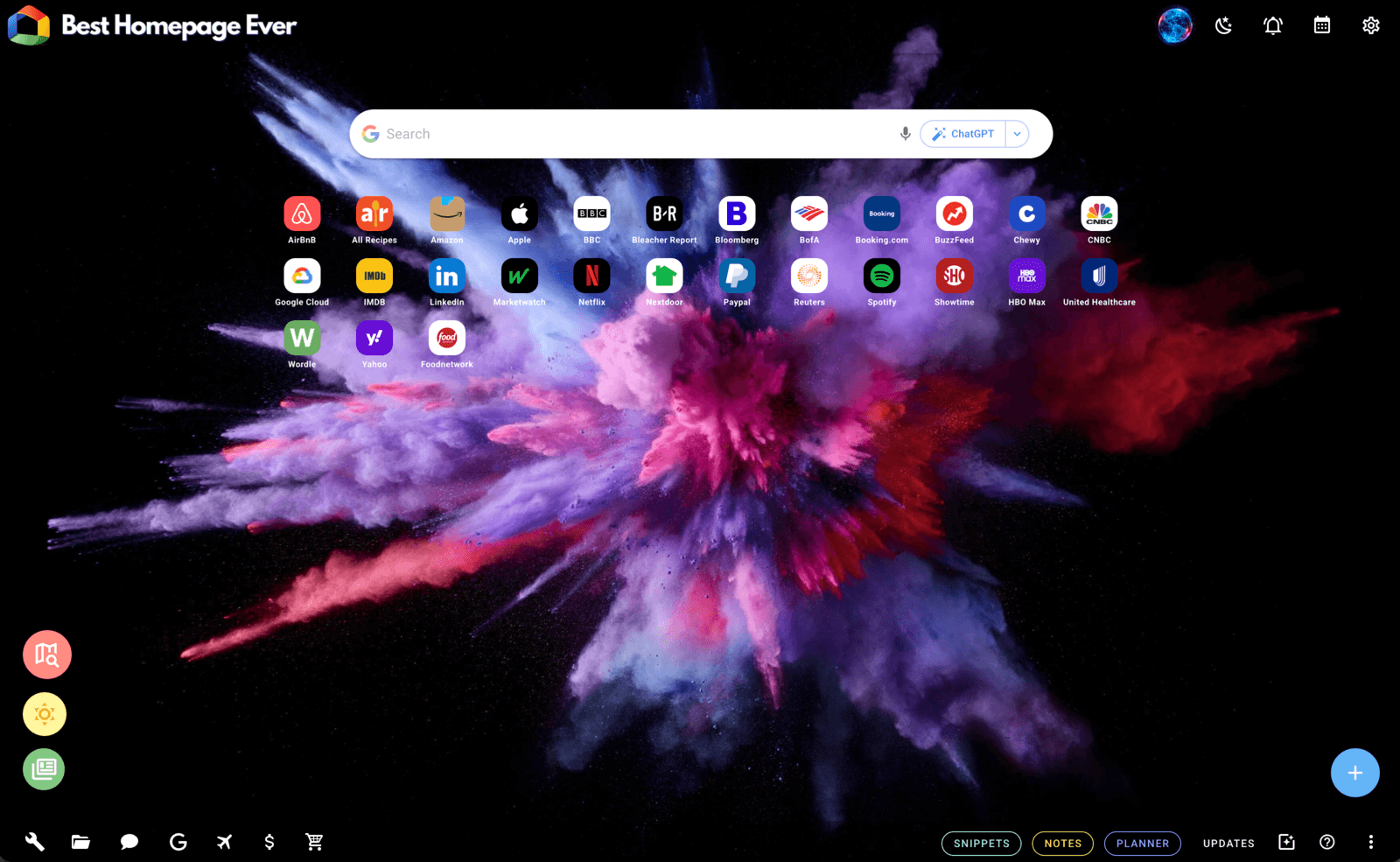
Screenshot of Best Homepage Ever
Best Homepage Ever is my favorite home page.
After spending a month experimenting with the other 5, this site demonstrates its ability to shine in several areas:
I recommend creating an account, as it's free and allows additional personalization settings to make it yours.
Free for basic user | €20/year for PRO
Start Me has a nice layout with different categorical "widgets" you can add. I was impressed with the sheer amount of options you can choose as you right-click or click the settings menus available within each widget.
The appearance leaves a bit to be desired. Search, news, and websites are easy to access and show up front-and-center.
There is a gallery available of other users' home designs, so you are able to find other homepage appearances (like a crypto style page), which is a sweet option.
You can add various versions of your own homepage, which may be great for big families, allowing each person to load their own custom pages, then bookmark the pages as their own.
There are a plethora of options that I saw that are well suited for an international audience, such as adding your own search engine. Like Best Homepage Ever, you are also able to drag and drop sites around the page.
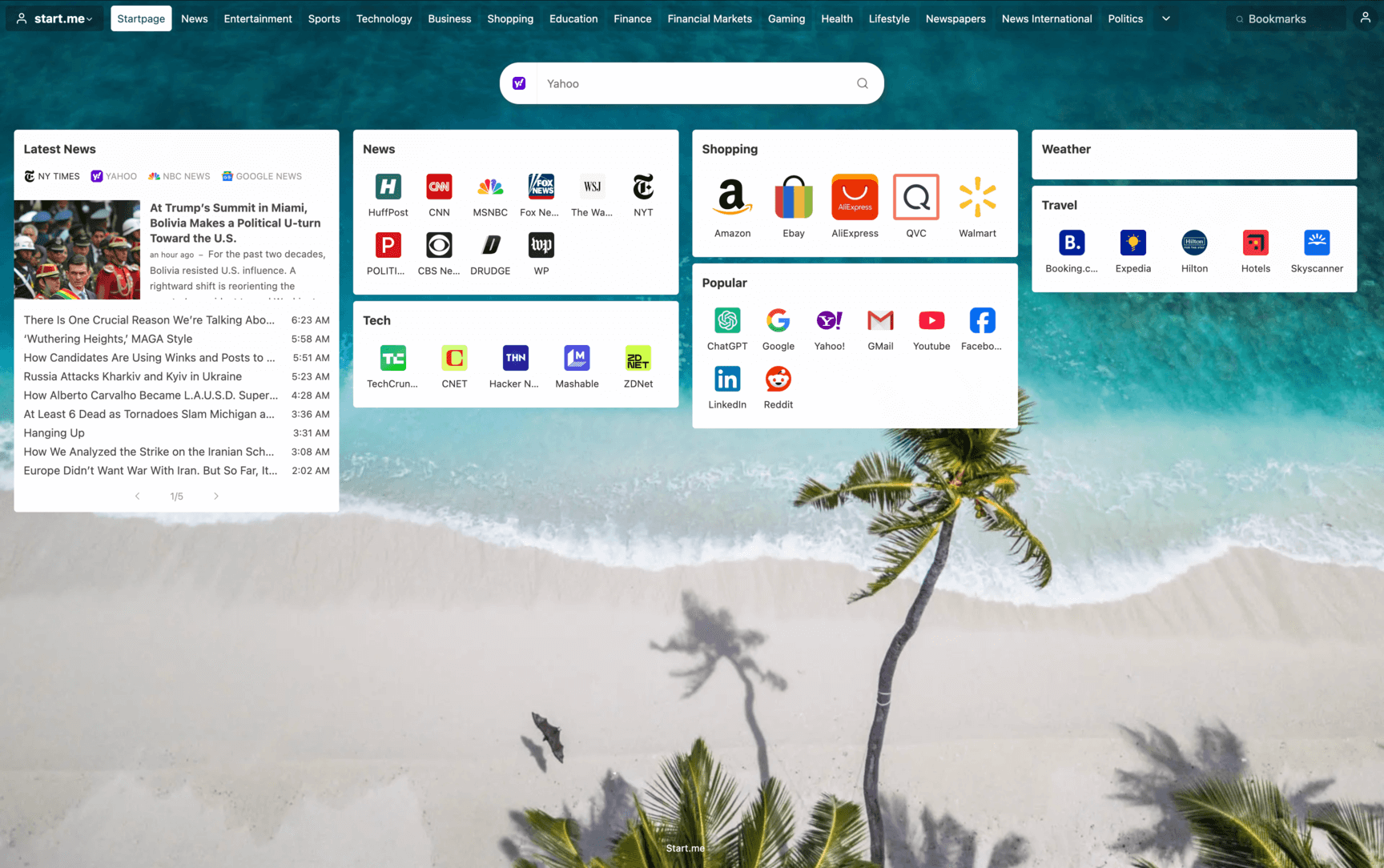
Screenshot of Start Me
I used this Dutch site for approximately a week before switching, and there are definitely some nice attributes worth mentioning. The site loads a little slower than the others, but otherwise this is a nice runner up in my opinion.
For overall compatibility with dozens of countries, or if you are a teacher wanting a collaborative webpage with students, this is an in-depth and feature-rich option.
Free
Kadaza may as well be called "Find-a-Site". The main websites are shown in a grid, but are also available in dropdown menus, which allow you access nearly infinite websites.
Although I appreciate the work being done here, the quick accessibility is a bit lost due to the number of clicks it takes to jump to a website.
The appearance is what perhaps lagged the most in this experiment. After my week of using this homepage, the appearance got a bit stagnant for me.
You are able to move your sites around, and the layout is definitely decent, but it isn't the great strength of the site.
What shined here is Kadaza was a great source to find websites. Their catalog, their blog of "tips" is impressive.
Also, the mobile site is relatively easy to access sites, making use of the many dropdowns available.
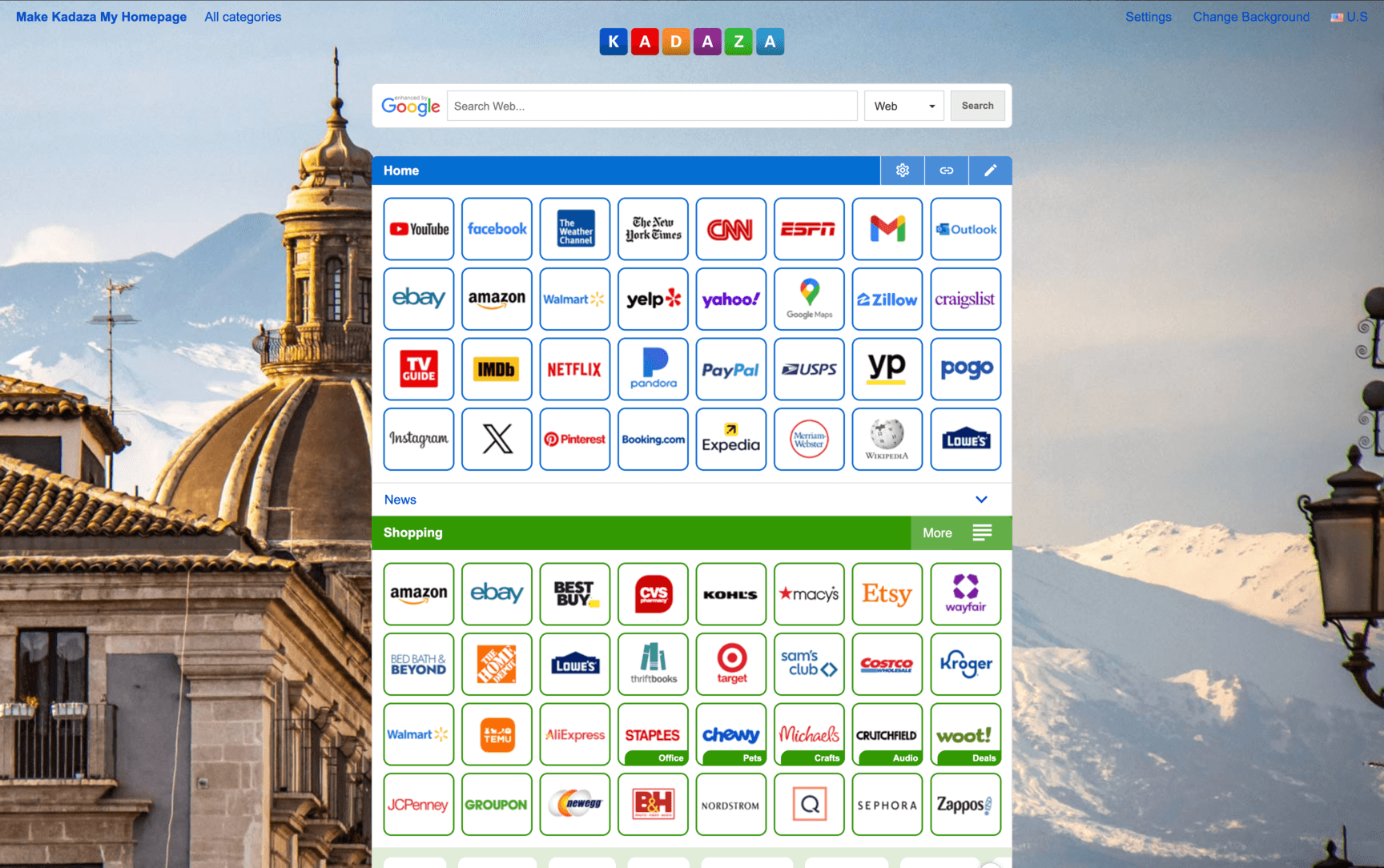
Screenshot of Kadaza
Although ranked 3rd here, Kadaza takes the crown in sheer content. The site speed is notably fast, and the amount of sites listed within its menus is truly impressive.
However, when comparing to the other 2 listed here, I found myself spending more clicking through to websites, versus the 1-click access both Best Homepage Ever and StartMe offer.
| Best Homepage Ever | StartMe | Kadaza | |
|---|---|---|---|
| Does this homepage avoid showing ads? | |||
| Did the homepage load faster than Yahoo? | |||
| Did the homepage have customization features? | |||
| Was the homepage well organized? | |||
| Final Score | 4.8 | 4.4 | 4.2 |
Dive deeper: Read my piece on the best homepage for Safari.
This article was written based on my own personal experiences and opinions. Use your own judgement when choosing an alternative to Yahoo.
The questions readers ask me most often.
After my 3-month experiment, Best Homepage Ever ranked first thanks to its ad-free experience, 100% Lighthouse score, customizable backgrounds, and well-organized layout. Start Me and Kadaza are also strong picks if you want something more international or directory-style.
The main reasons people switch: 30%+ of the page is ads, page load is slow (1.63s, 3.2 MB), customization is limited, the layout is cluttered with video ads, and you're locked into Yahoo's ecosystem for search and content.
Yes. Best Homepage Ever and Kadaza are completely free with no paid tier required. Start Me has a free tier plus a €20/year PRO option for power users.
Not at all. Switching your homepage just changes what you see when you open a new browser tab. You can still bookmark Yahoo Mail, Finance, Sports, etc., or add them as one-click links on whichever alternative you choose. I still use Yahoo Finance daily. I just don't need it as my homepage.
They're more alike than different. Both are legacy portal homepages with heavy ad density and algorithmic news feeds. MSN leans more tabloid-style, Yahoo leans more conventional. Both push you toward their parent companies' ecosystems (Microsoft for MSN, Yahoo's own properties for Yahoo).
It's a 30-second change in your browser settings. I wrote a step-by-step guide for Chrome, Firefox, Safari, Edge, and Opera here.
Yahoo Mail holds about 12% market share among major US email services. Unless you actively use Yahoo Mail as your primary inbox, the homepage integration probably isn't a strong enough reason to stay. And even if you do, you can pin Yahoo Mail as a bookmark and still use any of these alternatives as your homepage.
Based on my testing: 1) Best Homepage Ever (free, ad-free, fastest, 1,200+ backgrounds), 2) Start Me (free + €20/year PRO, extensive widgets, international support), 3) Kadaza (free, massive site directory, fast loading).
The closest sites like Yahoo and MSN are customizable start pages. Over three months I tested Best Homepage Ever, Start Me, and Kadaza. All three do the same job those portals do — one page holding your sites, news, and weather — without the ad load.
Best Homepage Ever came first in my testing. Kadaza is the closest to an old-school directory portal, if that's the layout you actually miss.
Look for one that keeps the homepage and the news reading separate. Yahoo and MSN blend an algorithmic feed straight into the homepage, which is exactly why it's so easy to lose twenty minutes there.
Best Homepage Ever keeps a clean homepage, adds a dedicated ad-free news page, and offers a Daily Brief covering only the topics you pick — cited, refreshed twice a day, with no endless feed to fall into.
As homepages, their closest competitors are the customizable start pages: Best Homepage Ever, Start Me, and directory portals like Kadaza.
As businesses they compete with Google News, AOL, and every other ad-funded content portal. But if you're here because you want to stop using one of them, the start-page category above is the practical answer.
Living, looping video wallpaper — how I built it and what it cost.
A 3-month deep dive comparing the most popular alternatives.
What makes the perfect homepage for Mac and iPhone users.
Step-by-step setup for Chrome, Firefox, Safari, Edge, and Opera.