How to Change Your Homepage in Any Browser
Updated for 2026 — Simple step-by-step instructions with screenshots





Select Your Browser
Chrome
Firefox
Safari
Edge
Opera
How to Change Your Homepage in Chrome
1 Open Settings
Click the three-dot menu () in the upper-right corner, then select Settings.
2 Set Your Startup Page
In the left column, click On Startup, then select Open a specific page or set of pages.
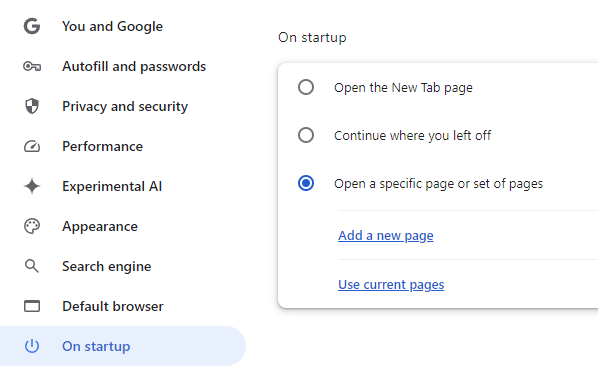
3 Add Your Homepage URL
Click Add a new page and enter your homepage URL:
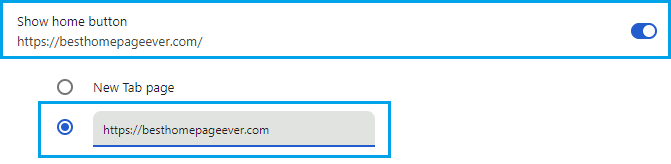
4 (Optional) Show Home Button
Go to Appearance and toggle on Show home button. Enter the same URL there.
How to Change Your Homepage in Firefox
1 Open Settings
Click the menu icon () in the upper-right corner, then select Settings.
2 Go to Home Settings
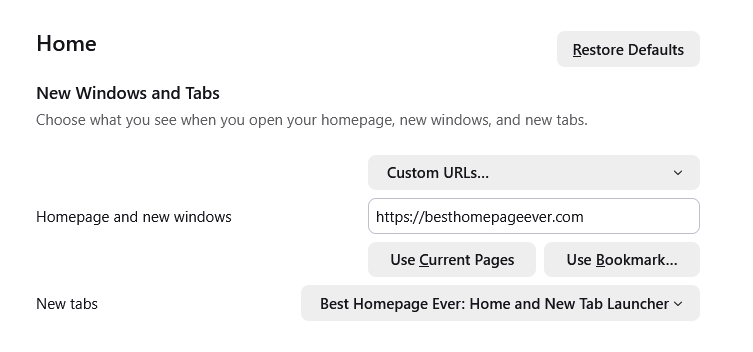
Click Home in the left sidebar, then find the New Windows and Tabs section.
3 Enter Your Homepage URL
Next to Homepage and new windows, select Custom URLs and paste:

Want your homepage in new tabs too?
Install the free Best Homepage Ever extension to open your homepage every time you open a new tab.
How to Change Your Homepage in Safari
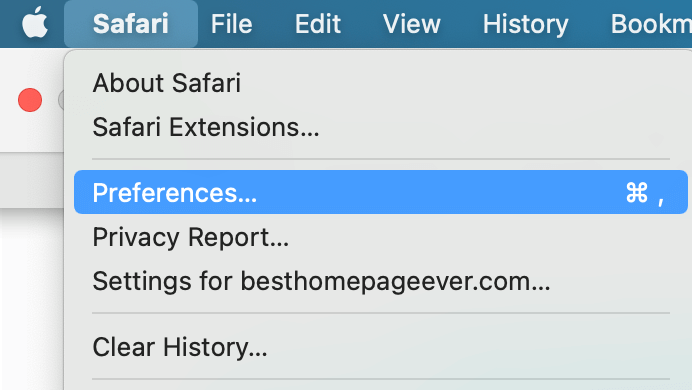
1 Open Preferences
Click Safari in the menu bar, then select Preferences (or press Cmd + ,).
2 Set Your Homepage
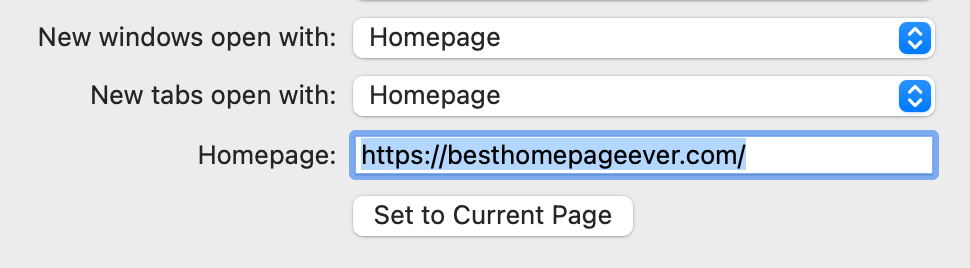
In the General tab, find the Homepage field and enter:
3 (Optional) New Tabs
Set New tabs open with to Homepage if you want new tabs to also show your homepage.
How to Change Your Homepage in Edge
1 Open Settings
Click the three-dot menu () in the upper-right corner, then select Settings.
2 Configure Startup
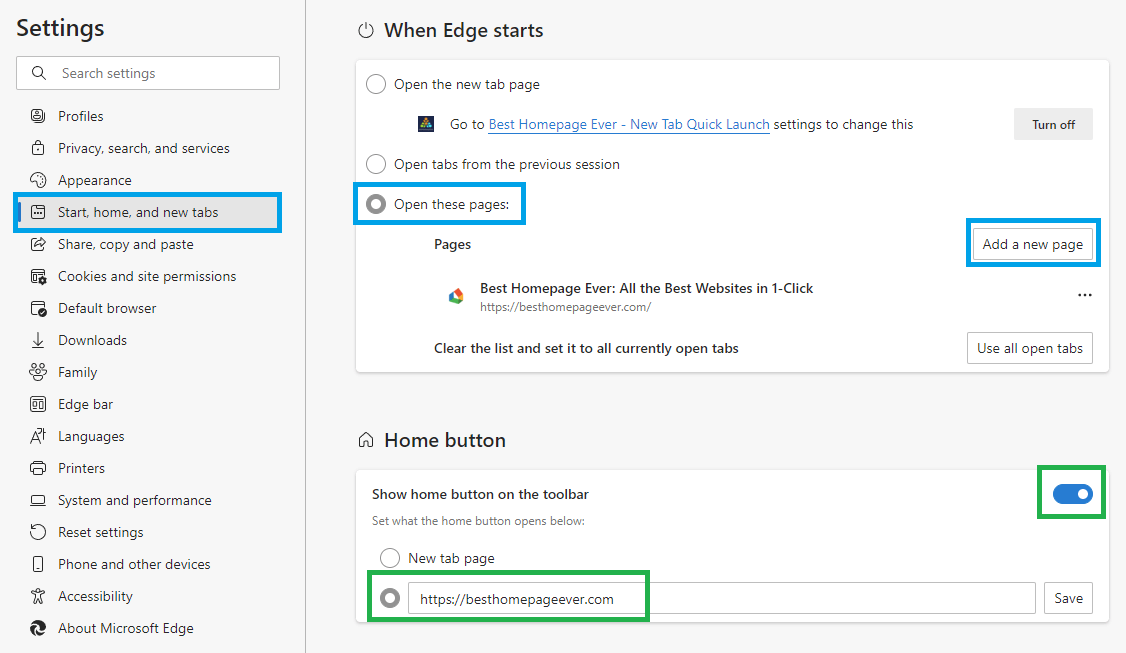
Click Start, home, and new tabs in the left menu. Under When Edge starts, select Open these pages.
3 Add Your Homepage
Click Add a new page and enter:
4 (Optional) Home Button
Toggle on Show home button and enter the same URL to add a home button to your toolbar.
How to Change Your Homepage in Opera & Opera GX
1 Open Settings
Press Alt + P or click the Opera menu and select Settings.
2 Find Startup Settings
Scroll down to the On startup section at the bottom of Basic Settings.
3 Add Your Homepage
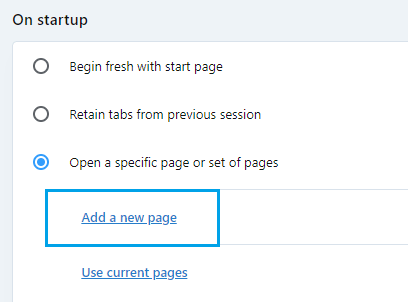
Select Open a specific page or set of pages, then click Add a new page:
Looking for a Better Homepage?
Try Best Homepage Ever — fast, customizable, and ad-free. Trusted by 25,000+ users.
Create Free AccountRelated Guides
Animated Homepage Backgrounds
Living, looping video wallpaper — how I built it and what it cost.
Best Home Pages for Your Browser
My comparison of the top homepage alternatives.
Best Homepage for Safari
Why Safari users love Best Homepage Ever.
Yahoo & MSN Alternatives
Time to switch from cluttered homepages.